AI Tools for Students to Beat the Cram and Build the Habit
Turn your lectures, PDFs, and notes into quizzes, lock them in with spaced repetition so you stop cramming and forgetting, run Recall Shared Challenges with your study group, and build a daily study habit you can actually track.
You know the cycle: you cram the night before an exam, scrape through, and a week later it’s gone. Cramming loads everything into short-term memory, so most of it disappears almost immediately. Meanwhile the time you could spend studying gets swallowed by doom scrolling, and revising alone makes it hard to know what you’ve actually got down.
Recall is built to break that cycle three ways:
- Spaced Repetition: exam material moves into long-term memory instead of evaporating after the test
- Streaks and Performance Tracking: a few minutes of quizzing replaces the scroll, and you can see your progress build across the semester
- Recall Shared Challenges: you and your friends study and compete on the same material, so you find the gaps before exam day
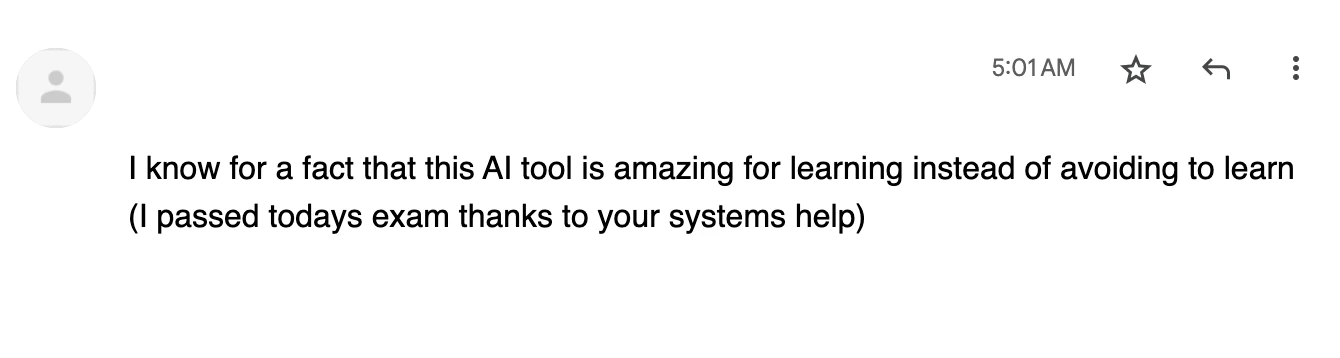
Recall is used by thousands of students across the world, from New York University to the Indian Institute of Technology. Check out our customer interview with a French Engineering student who uses Recall every day to study!
How Top Students Use Recall
Save your lectures, PDFs, and notes, generate quizzes, and let spaced repetition resurface them at the right time: swap ten minutes of scrolling for ten minutes of quizzing, and run Recall Shared Challenges with your study group when you want to revise together.
- Spaced Repetition: active recall and spaced repetition resurface questions right before you’d forget them, so exam material sticks instead of evaporating after the test
- Streaks and Performance Tracking: replace doom scrolling with quick quizzes, keep a streak, and watch your stats so you can see your progress over the semester
- Recall Shared Challenges: share a quiz with your study group (no account needed) and compete on the same material
Beat the Cram: Spaced Repetition for Exams
Cramming feels productive, but it works against how memory actually forms. Here’s the science, and how Recall turns it into an exam-prep system.
The Forgetting Curve: without review, you forget most of what you learn within 24 hours. Information decays rapidly unless you actively retrieve it, which is why rereading lecture slides the night before rarely sticks.
Active Recall: pulling information from memory, instead of recognizing it on the page, strengthens the pathways that let you retrieve it under exam pressure. Self-testing consistently outperforms rereading in learning research.
Spaced Repetition: instead of cramming everything at once, you revisit weak material more often and strong material less often, bringing each concept back right before you’d forget it. Over time, knowledge moves from short-term to long-term memory.
Recall builds these into a practical exam-prep loop:
- Quiz 2.0: generates questions from any lecture, PDF, video, or note you’ve saved, so you can test yourself without writing flashcards by hand
- Recall Review: applies spaced repetition automatically: questions you get wrong come back more often, questions you nail come back less often
- Schedule for Review: drops new questions straight into that cycle, so the week before an exam you’re reviewing exactly what you’re weakest on
Build the Habit: Swap Doom Scrolling for Study Time
The hardest part of studying isn’t the material, it’s consistency. Recall is designed so a quick quiz can take the place of mindless scrolling, and so you can see that effort add up.
- Replace the Scroll: install the mobile app and run a ten-minute quiz on the bus, in a queue, or before bed instead of opening social media. Available on iOS and Android.
- Keep a Streak: track daily streaks, or switch to weekly streaks if that fits your schedule better, so review becomes automatic instead of something you have to remember
- Get Reminded: turn on email and push notifications so you know when reviews are due, and enable timed questions if you want a bit of pressure
- Track Your Performance: check your all-time stats and look back historically to understand how much you’ve learned and watch your progress build across the semester
Study Together: Recall Shared Challenges for Your Study Group
Recall Shared Challenges let you turn any quiz into a shareable link with a leaderboard. No one needs a Recall account to take it, which makes it easy to revise with friends or classmates.
- Share With Your Friends: send the link to your study group by message or group chat, and everyone takes the same quiz
- Compete on a Leaderboard: scores are ranked by percentage, with total time as the tiebreaker
Recall Shared Challenges are separate from your personal review schedule, so they don’t affect your streak or review timings.
Watch and Follow Along
Expand each part below for the step-by-step walkthrough of Quiz 2.0, Recall Review, Challenges, and streaks. Click the timestamp on any part to jump straight to that moment in the video.
Part 1The forgetting curve
Recall is built to offset that forgetting curve. Save your study material, and Recall can create personalized quizzes that resurface at the right time so the material actually sticks.
Part 2Recall recap
Once content is saved, you can skim the summary, chat with the content, save useful answers to your notebook, jump to timestamps in videos, and see extracted connections.
Part 3Quiz 2.0
- Choose the number of questions
- Generate multiple choice, fill-in-the-blank, matching, flashcards, true/false, short answer, or ordering questions
- Pick easy, medium, hard, or mixed difficulty
- Include explanations for context after answering
- Include hints when you get stuck
- Add questions to Recall Review so they become part of your spaced repetition schedule
Part 4Recall Shared Challenge
Recall Shared Challenges make learning more competitive and social. You can create a Recall Shared Challenge from saved content, share it, and compare how everyone does on the same material.
Part 5Recall Review
If you keep getting something wrong, you'll see it more often. If you keep getting it right, you'll see it less often. Questions that you add to Recall Review are shuffled into your schedule, and the intervals adapt based on how well you answer.
You can also filter review questions by due date, type, difficulty, and tag, so you can review one course or topic at a time.
Part 6Streaks and settings
You can also see your all-time stats and look back historically to understand your overall learning progress.
Part 7Take the Recall Shared Challenges
You can use the same idea for a study group or class: make a Recall Shared Challenge from a lecture or reading and share it with classmates.
The Study Workflow, Step by Step
Get your material in, quiz yourself, build the habit, and study with friends when you want to. Expand any step to see what it looks like.
Part 1Add your study material and notes
Get everything for a course into one place, including your own study notes, so it’s all ready to quiz instead of scattered across downloads, tabs, and notebooks.
- Import PDFs: click Add in the top right corner, then drop or browse for your PDFs in the Add Content window (up to 250 MB each, including scanned course readings).
- Bulk Import Bookmarks: have lots of YouTube lectures or online articles? Use the bulk import feature to add them all at once. Learn more here.
- Save as You Browse: use the browser extension to capture articles and videos while you research
- Take Your Own Study Notes: click the pen icon (✎) next to Add to create a new note, or open any saved source and use the Notebook tab to write notes during lectures or while reading. Your notes stay connected to the original source and are ready to quiz on alongside your imports.
Example: At the start of the semester you bulk import twenty YouTube lectures, upload five course PDFs, and jot lecture notes in the Notebook on each card, all tagged CS101, so everything for the module is ready to quiz before exams.
Part 2Understand it fast
Before you test yourself, get to grips with each source quickly instead of rereading it end to end.
- Generate a Summary: open the Chat tab on any card, pick a summary type, and save it to your Notebook so you know which sections matter most
- Ask, Don’t Reread: ask the chat “explain this concept like I’m new to it” or “what are the key formulas here?” Every answer links back to the exact source so you can verify it.
Example: A two-hour lecture becomes a short summary, so you know exactly what to quiz yourself on before the problem set.
Part 3Quiz yourself and schedule for review
This is the core of beating the cram. Open any saved source or note and go to the Quiz tab.
- Generate Questions: click Generate Questions to open the generate modal. Choose your question types (multiple choice, true/false, fill in the blank, short answer, matching, ordering, or flashcards), set the number and difficulty, and optionally include hints and explanations.
- Schedule for Review: toggle Schedule for review in the modal to add the questions to your spaced repetition cycle automatically.
- Write Your Own: prefer to target specific concepts? Click Create to add your own questions by hand.
- Start Quizzing: test yourself right away from the Quiz tab, or let the questions flow into Recall Review (the Review icon in the left sidebar), where Start Review serves up your most-due questions.
How Spaced Repetition Works: the more you answer correctly, the less frequently you’ll see those questions; the more you get wrong, the more often they’ll appear. This scientifically-backed approach helps you offset your forgetting curve and retain information long-term. Learn more here.
Example: The week before an exam you run a ten-minute quiz on the bus each morning, and Recall resurfaces the questions you still struggle with until they stick.
Part 4Build the Habit and Track Your Progress
Studying only works if you keep showing up, so make it the easy thing to reach for and watch it add up.
- Replace the Scroll: install the mobile app (iOS / Android) and run a quick quiz whenever you’d usually open social media
- Keep a Streak: track daily streaks, or switch to weekly if that fits your schedule, so review becomes automatic
- Turn on Reminders: enable email and push notifications so you never miss a due review, and add timed questions for a bit of pressure
- Track Your Performance: check your all-time stats and history to see how much you’ve learned and how your progress builds over the semester
Example: Instead of scrolling on the bus, you run your due reviews each morning, keep a 40-day streak, and watch your accuracy climb as exams approach.
Part 5Study Together With Recall Shared Challenges
Turn any quiz into a Recall Shared Challenge to study with your friends or a study group. A Recall Shared Challenge is a shareable quiz with a leaderboard, and no one needs a Recall account to take it.
- Open a Card: go to a card that already has questions generated, and open the Quiz tab
- Click Share Challenge: generate a shareable link. You can also click Challenge Someone on the results screen right after finishing a quiz.
- Send the Link: share it with your study group by message, in a group chat, or anywhere. Anyone can open it, no sign-up required.
- Compete on the Leaderboard: everyone enters a display name and takes the same quiz. Scores are ranked by percentage, with total time as the tiebreaker.
Recall Shared Challenges are separate from your personal review schedule, so they don’t affect your streak or review timings.
Example: Before a midterm, you share a Recall Shared Challenge from a lecture in your group chat and compare scores on the leaderboard to see how everyone did.
- Start Early, Not Late: add content and start quizzing throughout the semester, not just before exams. Spaced repetition only works with time on its side.
- Build a Daily Routine: run your due reviews on the way to class, during coffee breaks, or before bed. Consistency beats cramming.
- Replace Doom Scrolling: swap 10 minutes of social media for 10 minutes of quizzing. Your grades will thank you, and your streak will too.
- Study With Friends: share a Recall Shared Challenge with your study group when you want to revise together.
Frequently Asked Questions
What are the best AI tools for students?
The best AI tools for students help you actually remember what you study instead of cramming and forgetting it. Most students use ChatGPT for one-off answers that are thrown away when the chat ends. Recall turns your lectures, PDFs, videos, and notes into quizzes, schedules them with spaced repetition so they resurface right before you forget, lets you share Recall Shared Challenges with your study group, and helps you build a daily study habit you can track.
Can I use Recall to study for exams?
Yes, this is what Recall is built for. Save all your course material in one place, generate quizzes from it, and let Recall Review schedule them with spaced repetition. Instead of cramming the night before, you revisit weak material more often and strong material less often, so it moves into long-term memory. You can also run Recall Shared Challenges with classmates to find the gaps before exam day.
How does spaced repetition help me beat cramming?
Cramming loads information into short-term memory, so most of it disappears within days. Spaced repetition schedules review at increasing intervals, bringing material back right before you’re likely to forget it. Recall Review handles this automatically: questions you get wrong come back more often, questions you nail come back less often. Combined with active recall (testing yourself instead of rereading), it’s one of the most effective ways to prepare for exams and retain what you learn.
Can Recall help me build a study habit?
Yes: Recall is designed to replace doom scrolling with quick study time. Install the mobile app and run a ten-minute quiz on the bus or during a break instead of opening social media. Streaks keep you consistent (switch between daily and weekly), notifications remind you when reviews are due, and all-time stats let you track your performance over time so you can see your progress build.