MCP Server
The Recall MCP server lets AI assistants connect to your knowledge base over the Model Context Protocol. Once connected, an assistant can search your cards, read their content, and explore your knowledge base on your behalf.
The MCP server currently provides read-only access to your knowledge base. Write capabilities are coming soon.
Quick Start
-
Open the Recall web app and go to Settings → API & MCP.
-
Copy the server URL from the MCP Server section:
https://backend.getrecall.ai/mcp/ -
Paste it into your MCP-compatible client (Cursor, Claude Desktop, etc.). The client will open a browser window to complete the connection.
No API key is required. Authentication is handled entirely in the browser.
Client Setup Guides
Cursor
Use this flow to connect Recall as a remote MCP server in Cursor.
-
Open Cursor and go to Settings → Tools & Integrations → MCP (or New MCP Server).
-
Add a
recallserver entry pointing at the Recall MCP server URL. You can edit~/.cursor/mcp.jsondirectly:{ "mcpServers": { "recall": { "url": "https://backend.getrecall.ai/mcp/" } } } -
Cursor will show the server as needing login. Click Needs login (or the OAuth prompt) and follow the browser prompts to authorize Recall.
-
Once connected, ask Cursor to search or summarize content from your Recall knowledge base.
Claude
Use this flow to connect Recall as a custom connector in Claude.
- Open Claude and go to Settings → Connectors or Customize → Connectors.
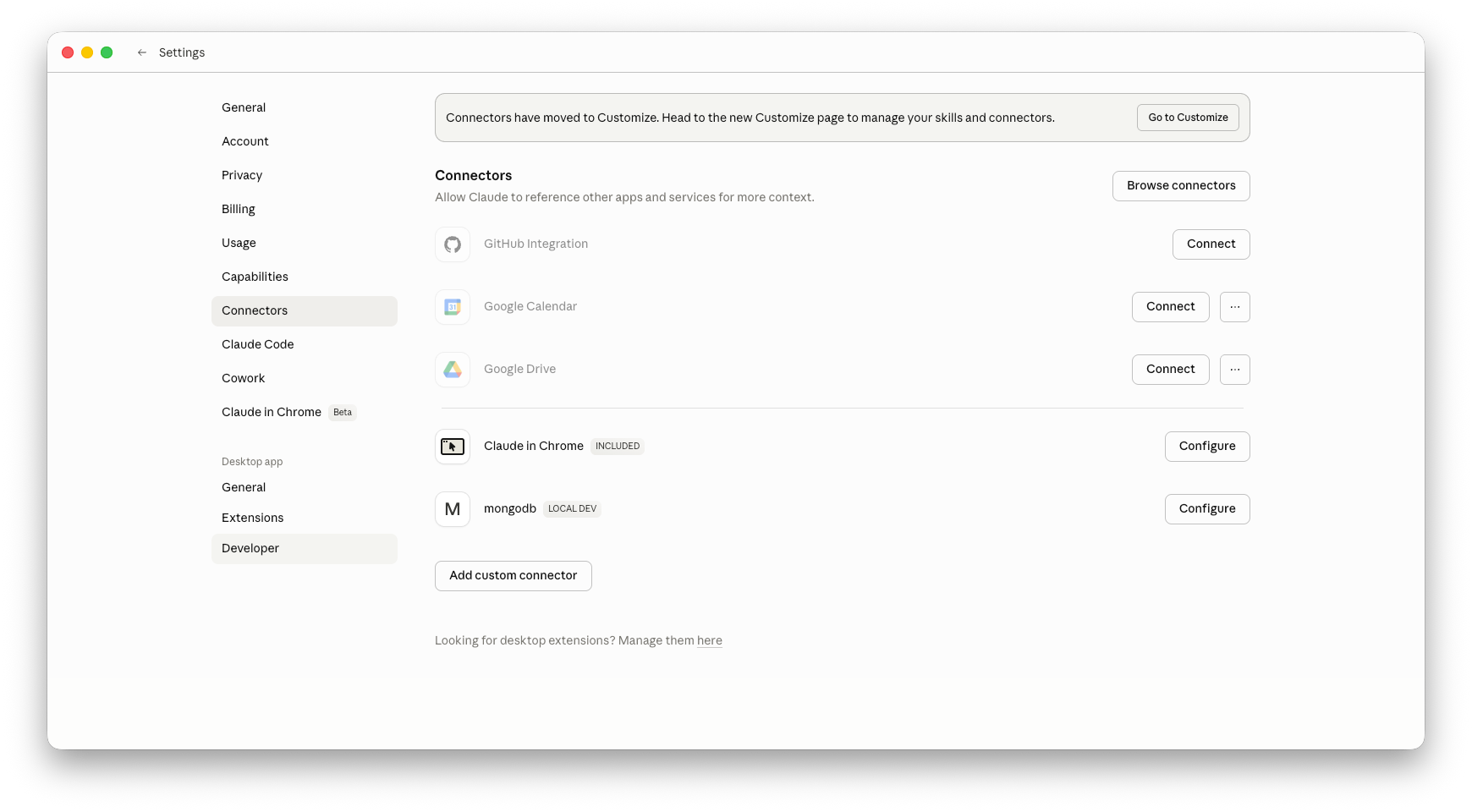
- Click Add custom connector.
- For the name enter
Recalland paste the Recall MCP server URL:https://backend.getrecall.ai/mcp/ - Leave advanced OAuth credentials empty unless Claude asks for them. Recall uses OAuth discovery and browser-based authorization.
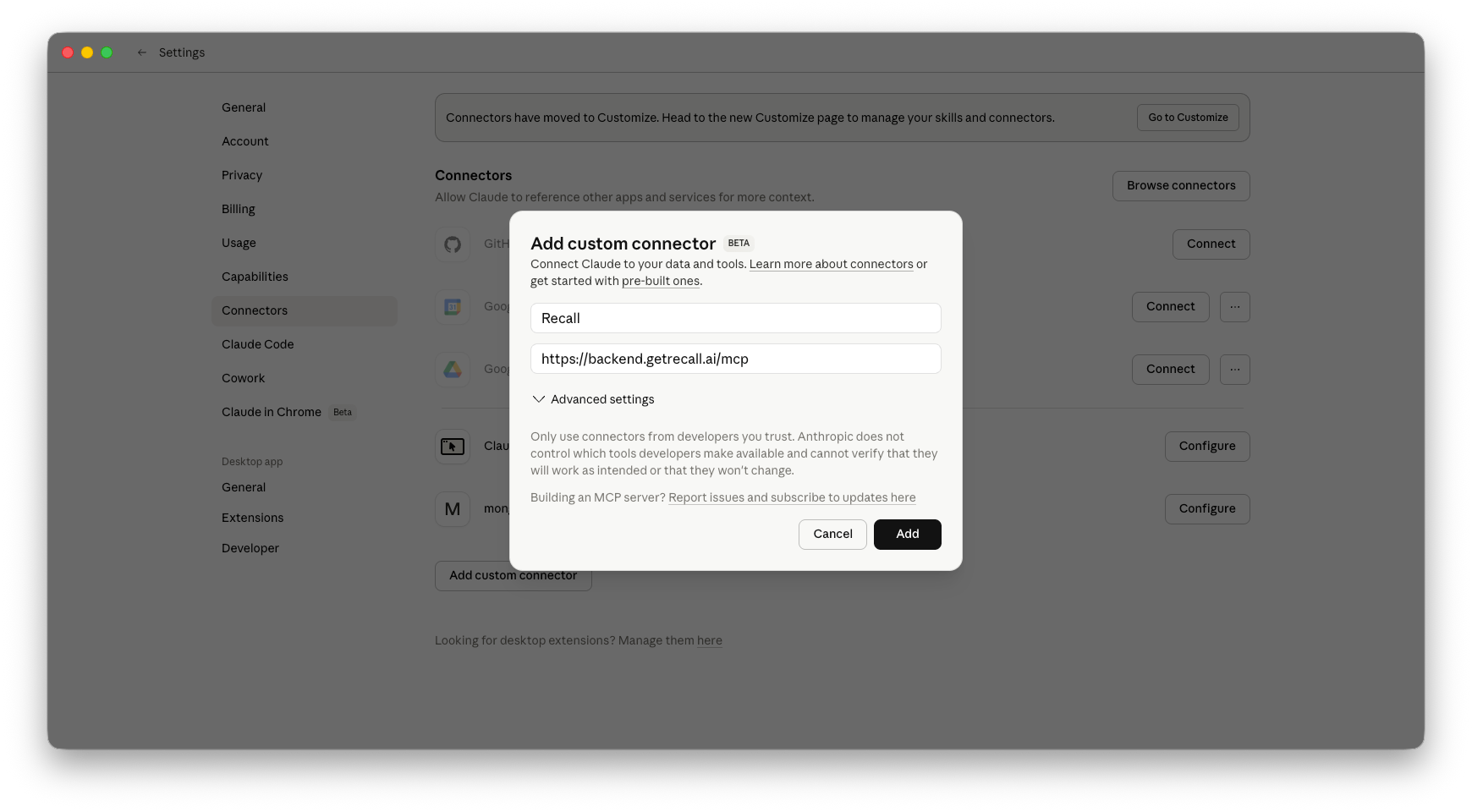
- Add the connector, then click Connect and follow the browser prompts to authorize Recall.
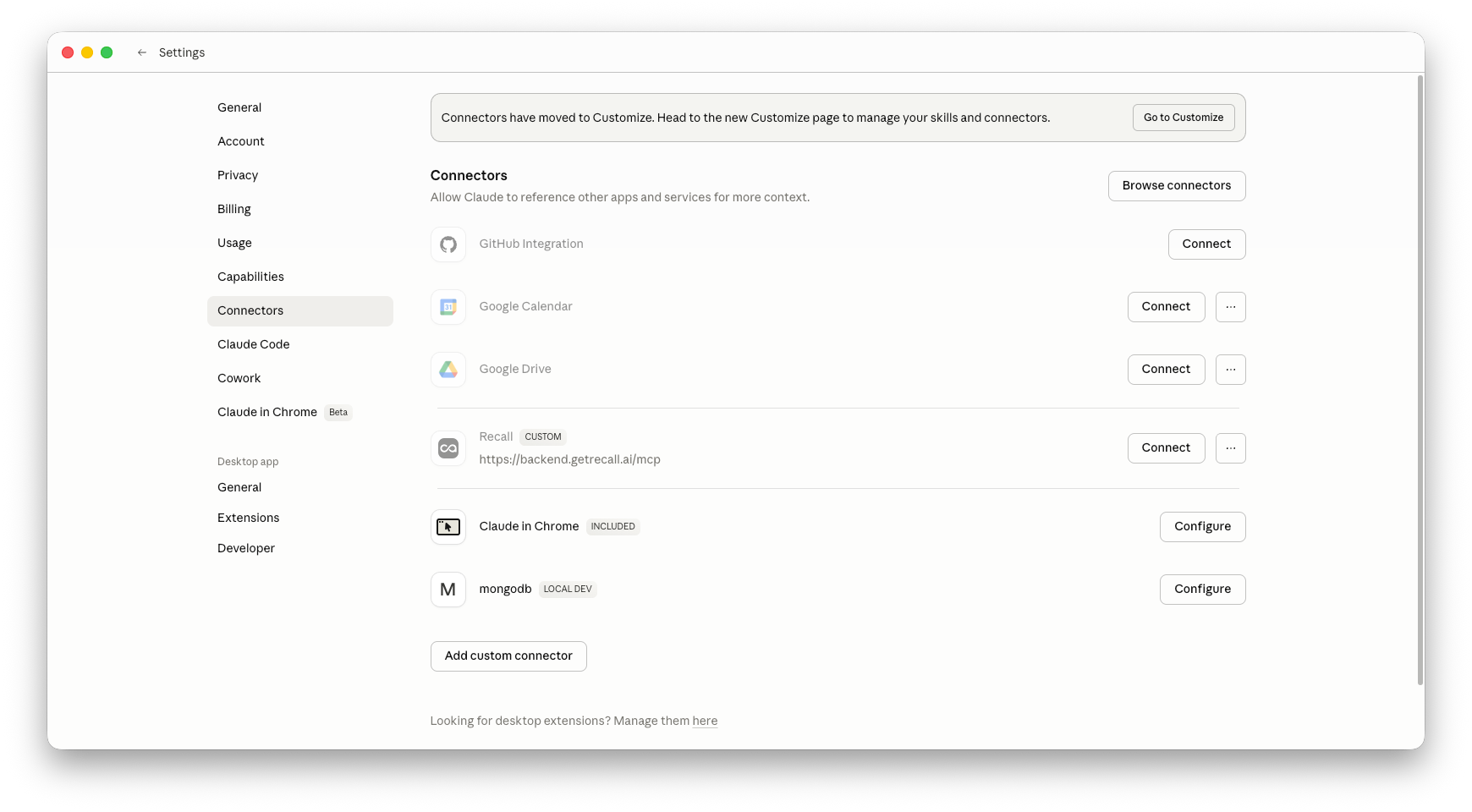
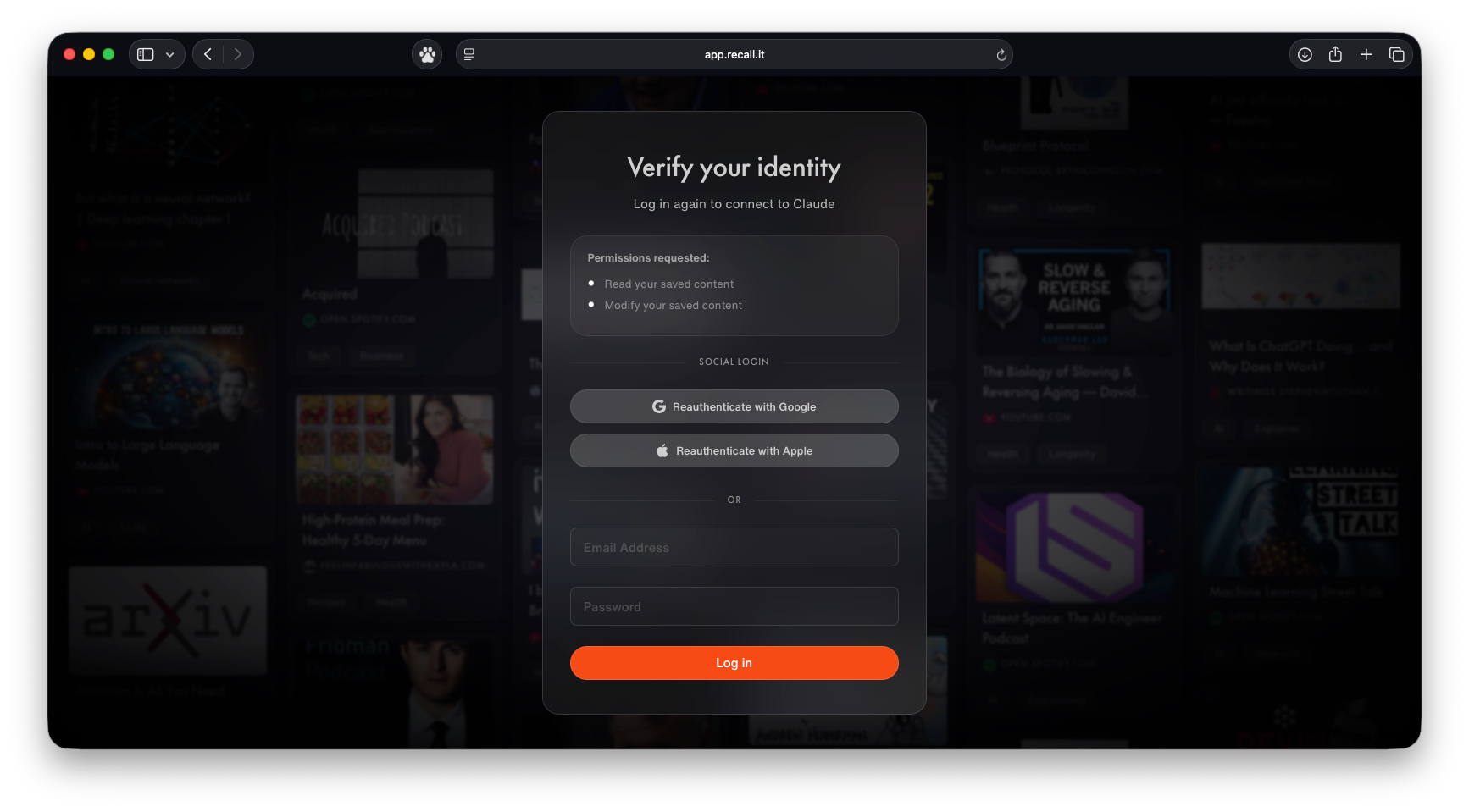
-
In a new chat, open the connector or tools menu and enable Recall for the conversation.
-
Ask Claude to search or summarize content from your Recall knowledge base.
For Team and Enterprise plans, an owner may need to add the connector from Organization settings → Connectors before members can connect it from their own settings.
OpenAI / ChatGPT
Use this flow to connect Recall as a custom MCP app in ChatGPT.
- Open ChatGPT and go to Settings → Apps.
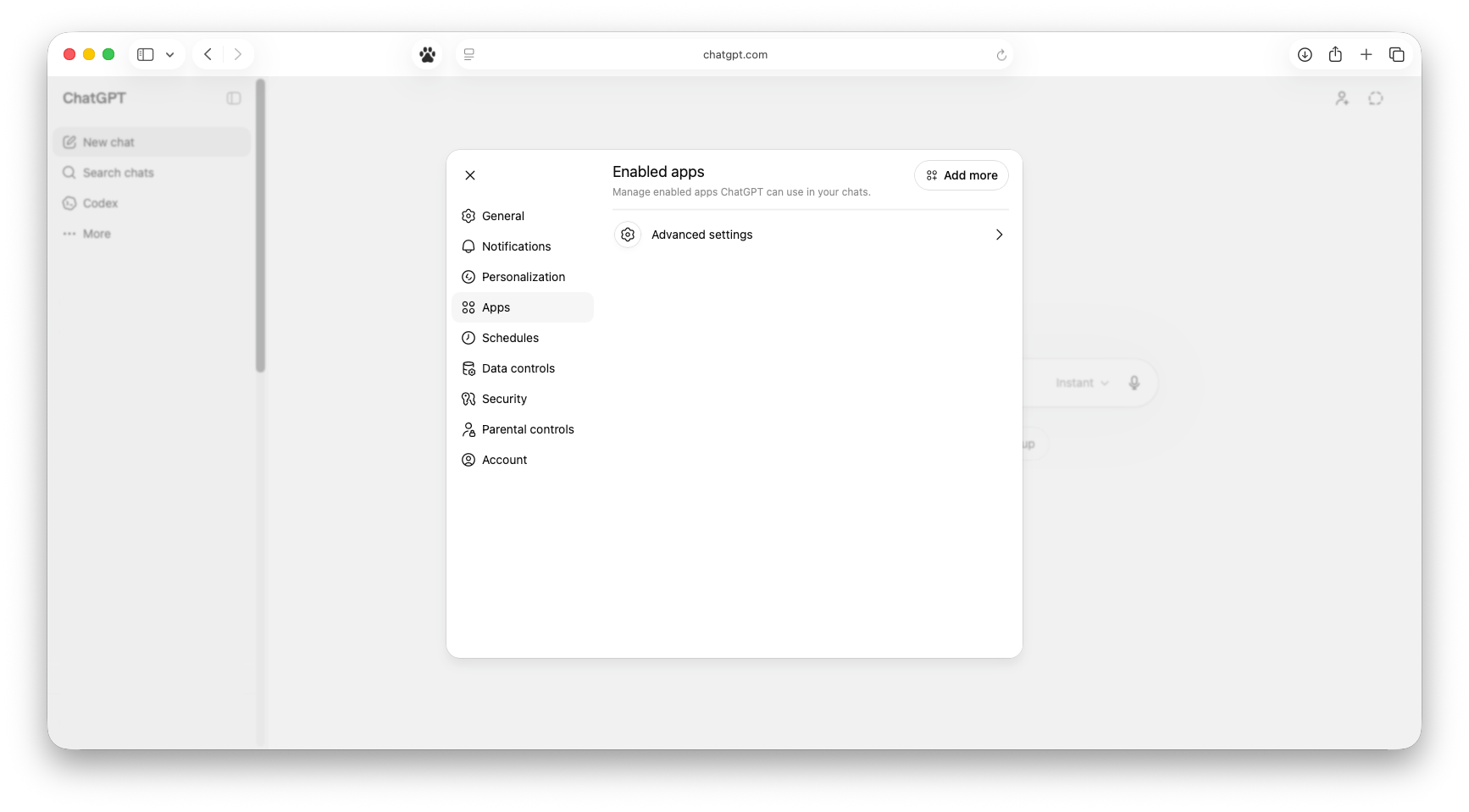
- Click on Advanced settings and enable Developer mode. This is necessary to allow adding custom MCPs.
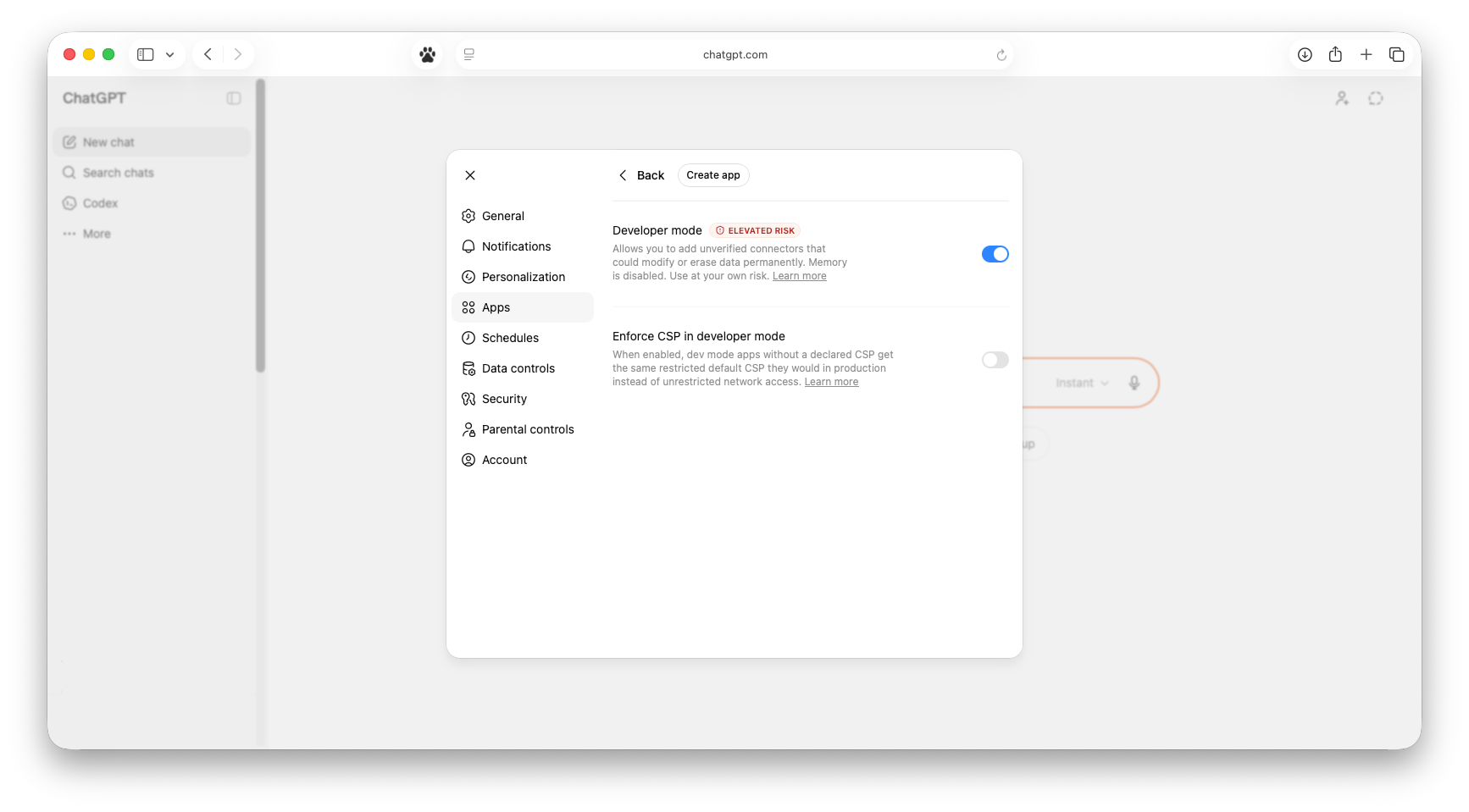
- Click Create or Create app to add a custom app/connector.
- For the name enter
Recalland paste the Recall MCP server URL:https://backend.getrecall.ai/mcp/ - Choose OAuth if ChatGPT asks for an authentication method.
- Toggle I understand and want to continue
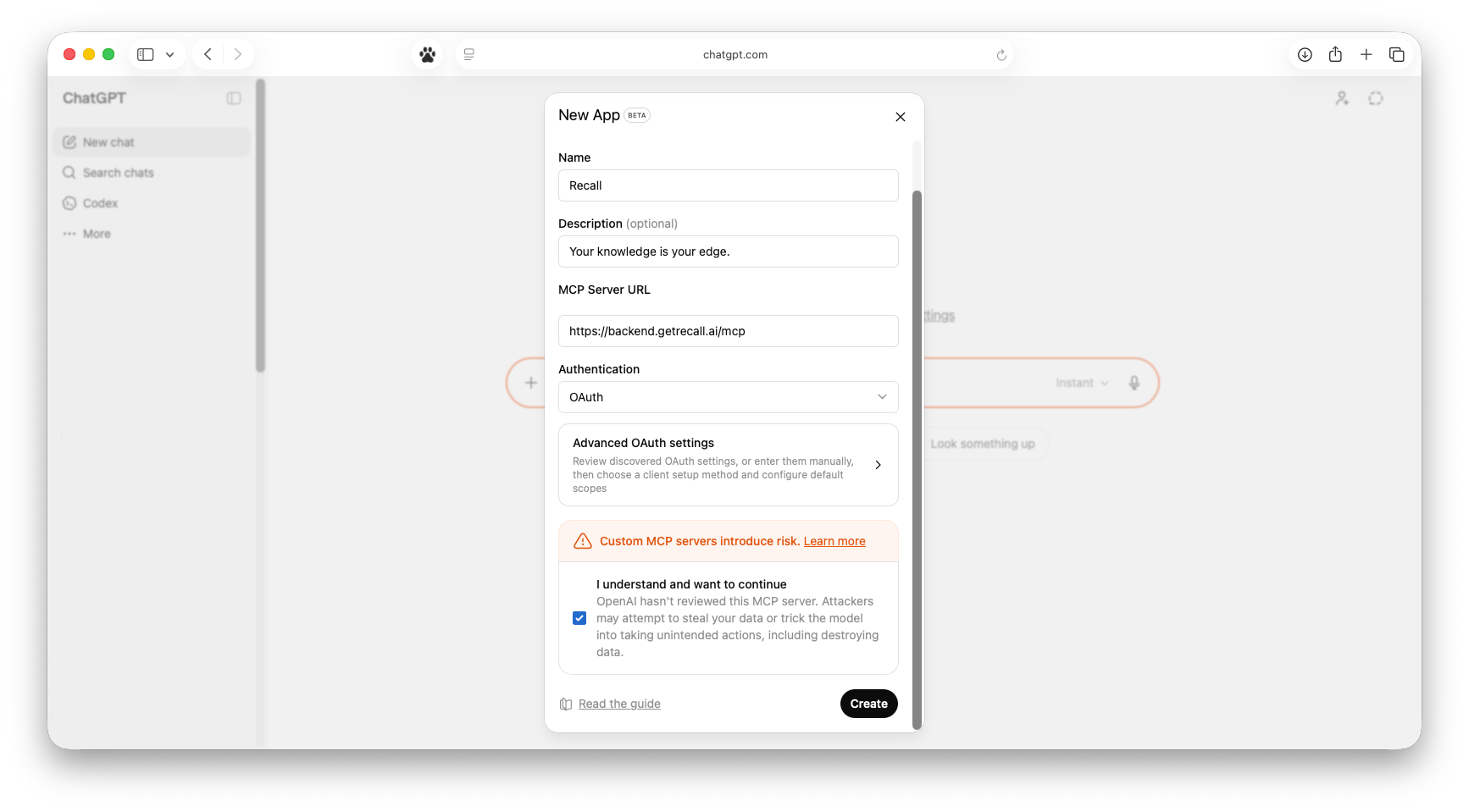
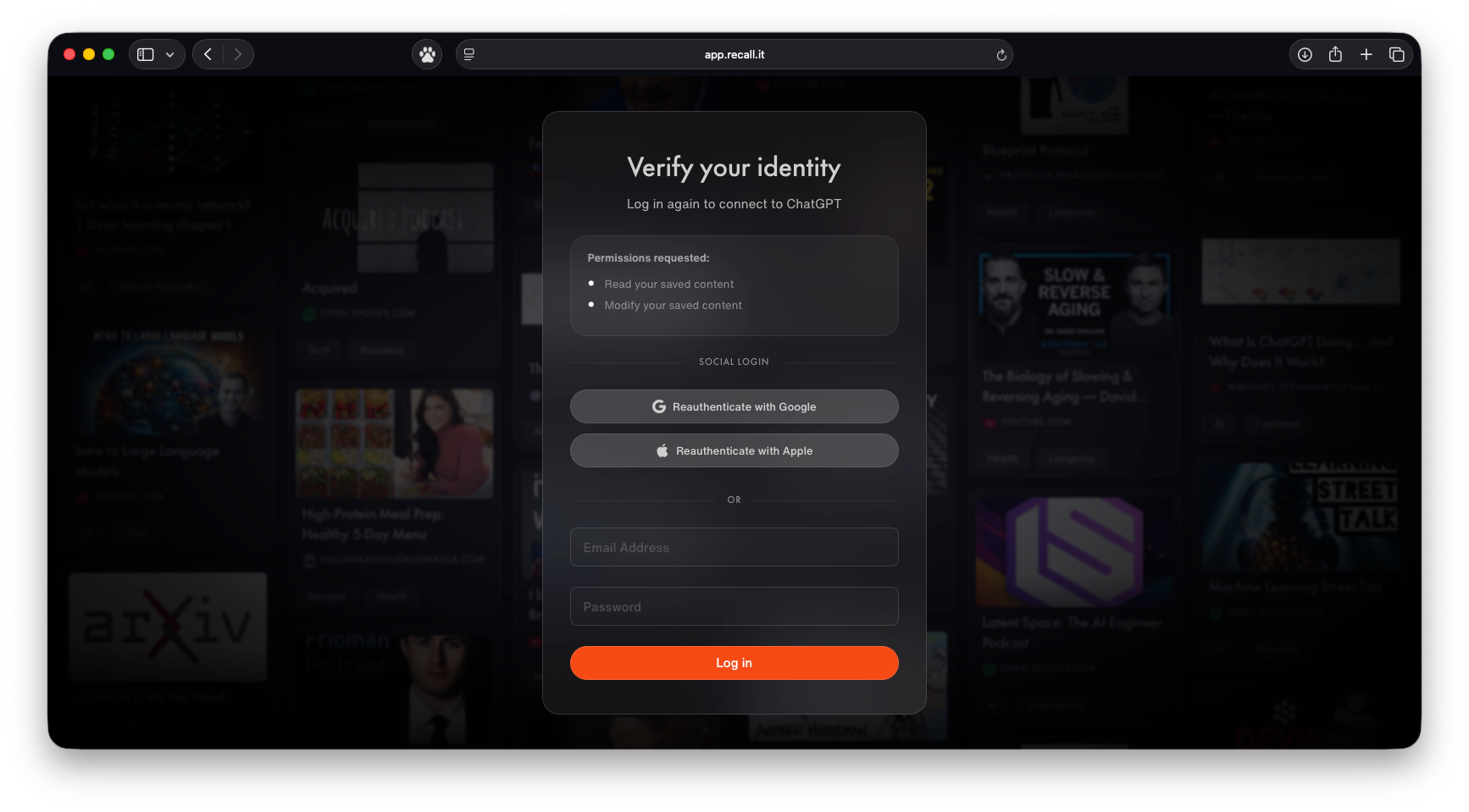
- Create the connector, then follow the browser prompts to authorize Recall.
- Start a new chat and ask ChatGPT to search or summarize content from your Recall knowledge base.
Perplexity
Use this flow to connect Recall as a custom connector in Perplexity.
- Open Perplexity and go to Account settings → Connectors.
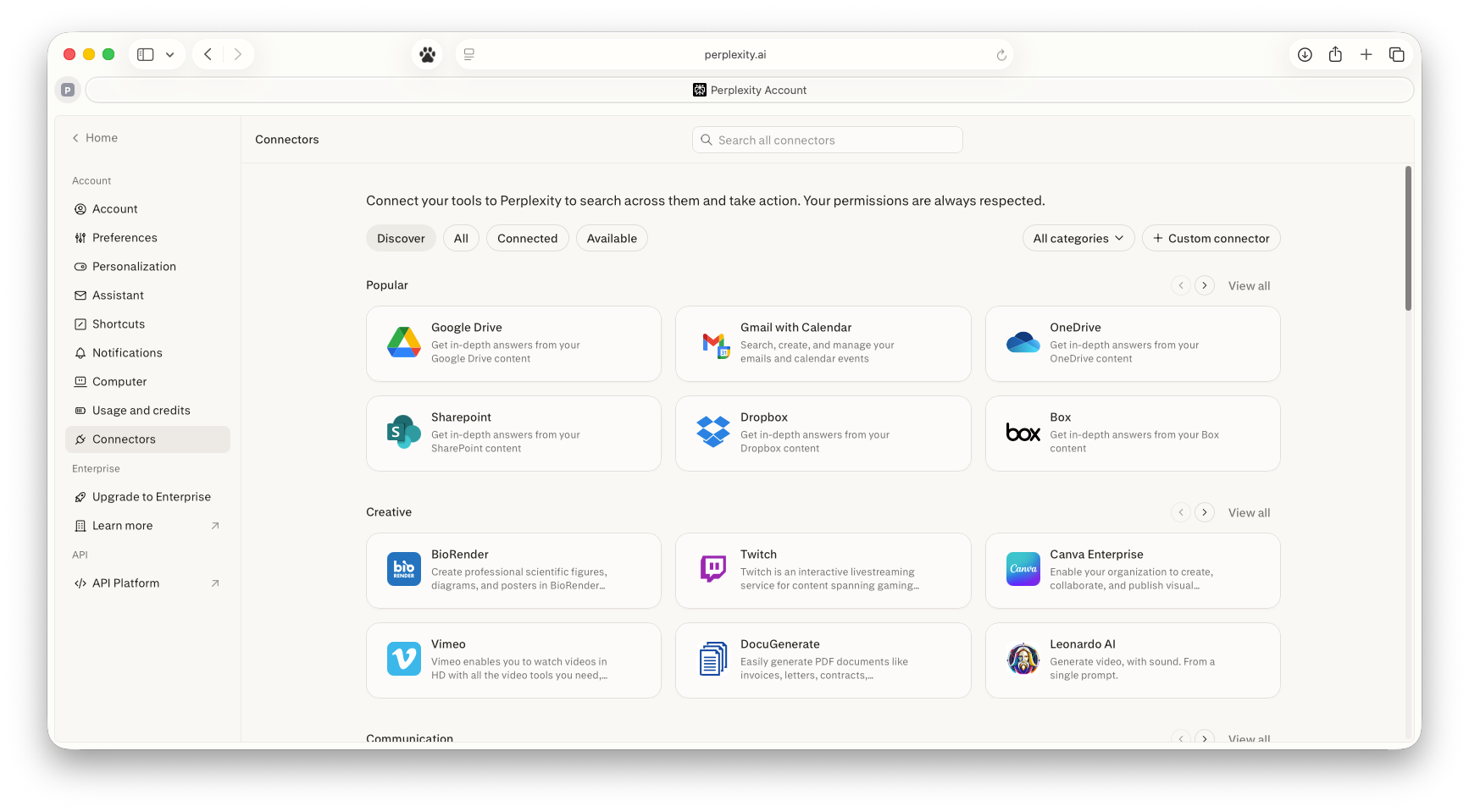
- Click + Custom connector.
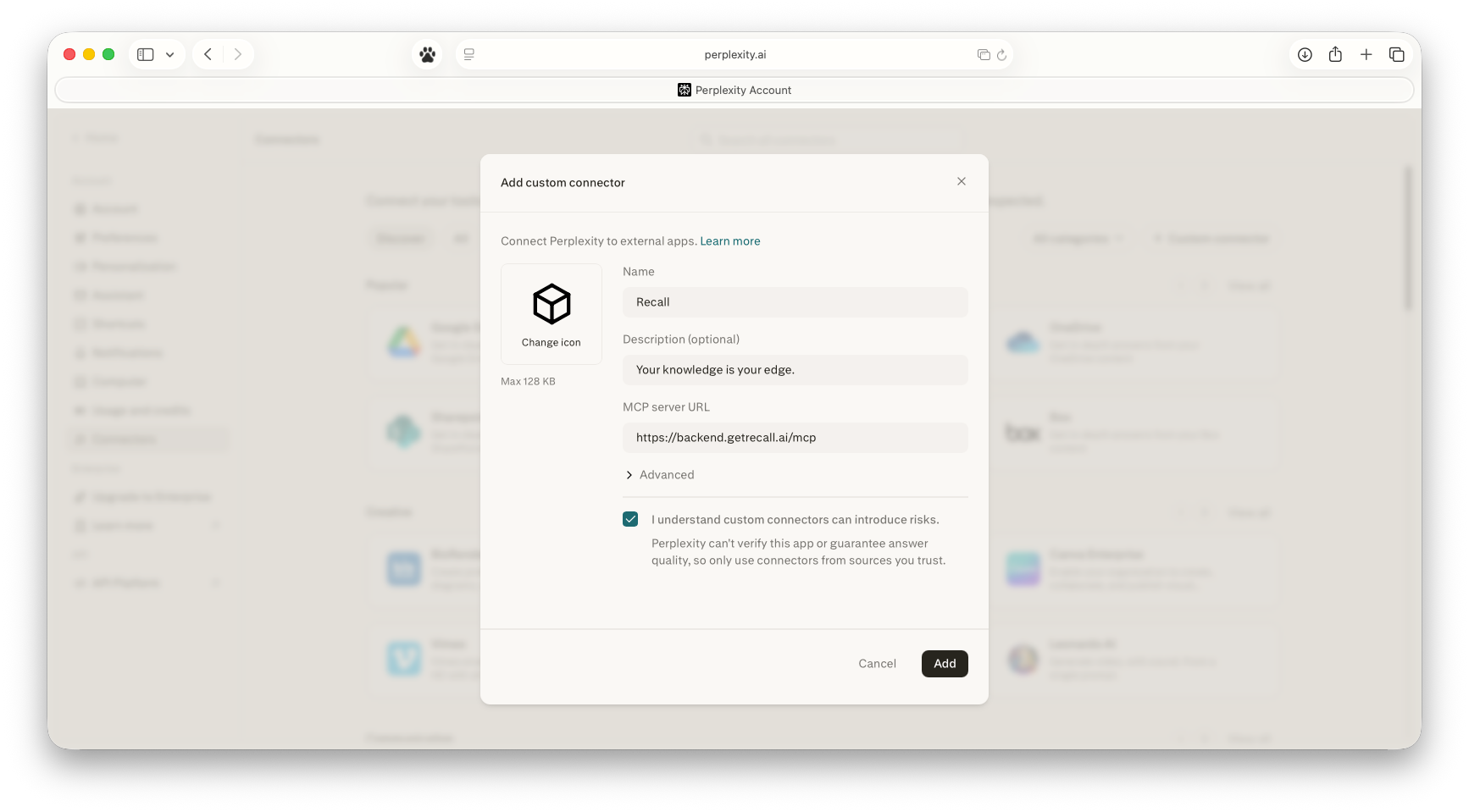
- For the name enter
Recalland paste the Recall MCP server URL:https://backend.getrecall.ai/mcp/ - Leave the Advanced toggle as is - it mainly shows auth options which are already configured to OAuth.
- Toggle I understand custom connectors can introduce risk
- If the page does not redirect you, check if any pop-ups are blocked
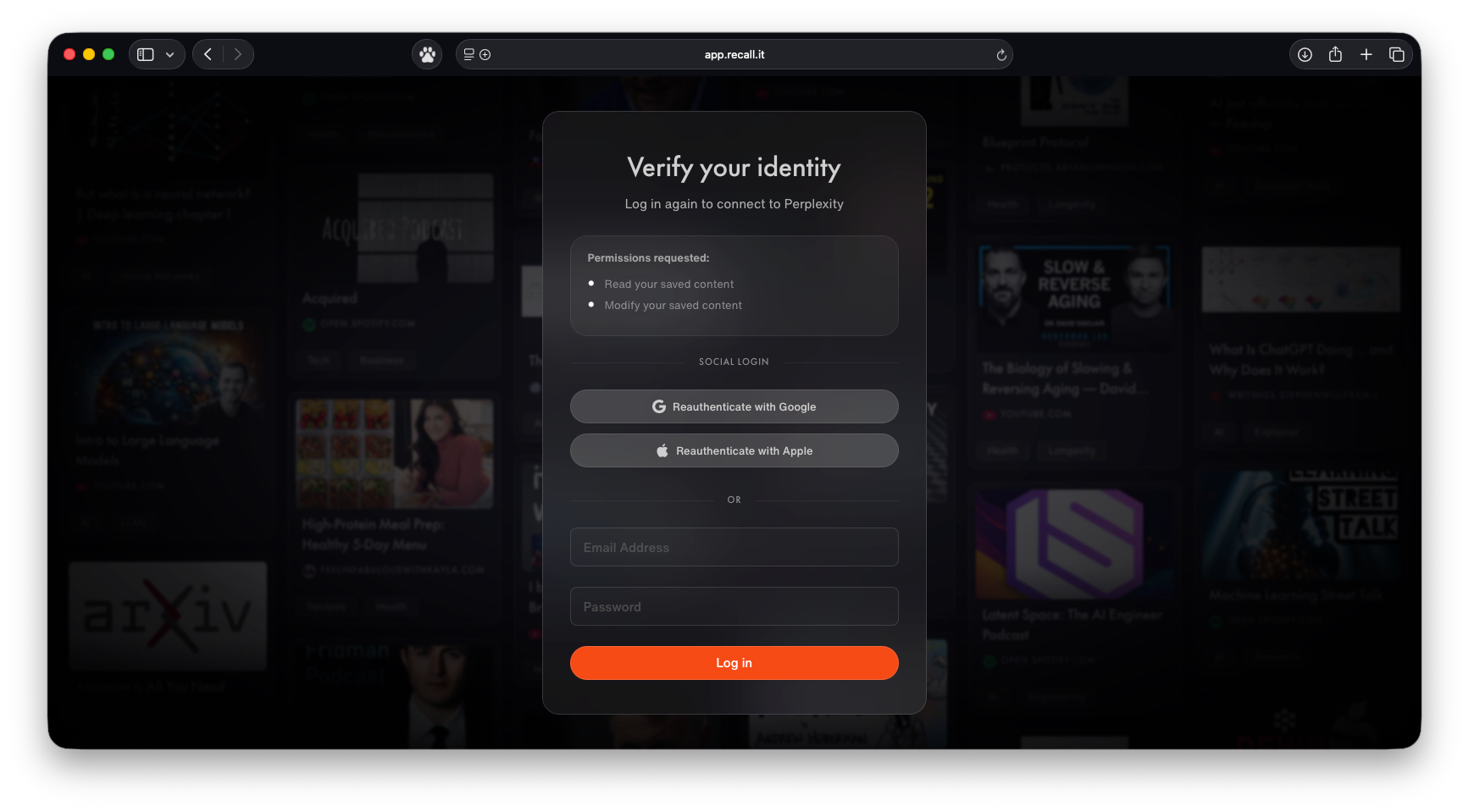
- Create the connector, then follow the browser prompts to authorize Recall.
- Ask Perplexity to search your connected Recall knowledge base.
Gemini CLI
Gemini Web and Desktop custom MCP access is currently tied to Gemini Enterprise / BYO-MCP capabilities and is rolling out. If you do not see connector settings in the Gemini app, use Gemini CLI for now or check Gemini Enterprise availability with your Google admin or account team.
Use this flow to connect Recall as a remote MCP server in Gemini CLI.
-
Open or create
~/.gemini/settings.json. -
Add a
recallMCP server entry with the Recall MCP server URL and OAuth enabled:{ "mcpServers": { "recall": { "httpUrl": "https://backend.getrecall.ai/mcp", "oauth": { "enabled": true } } } } -
Start Gemini CLI.
-
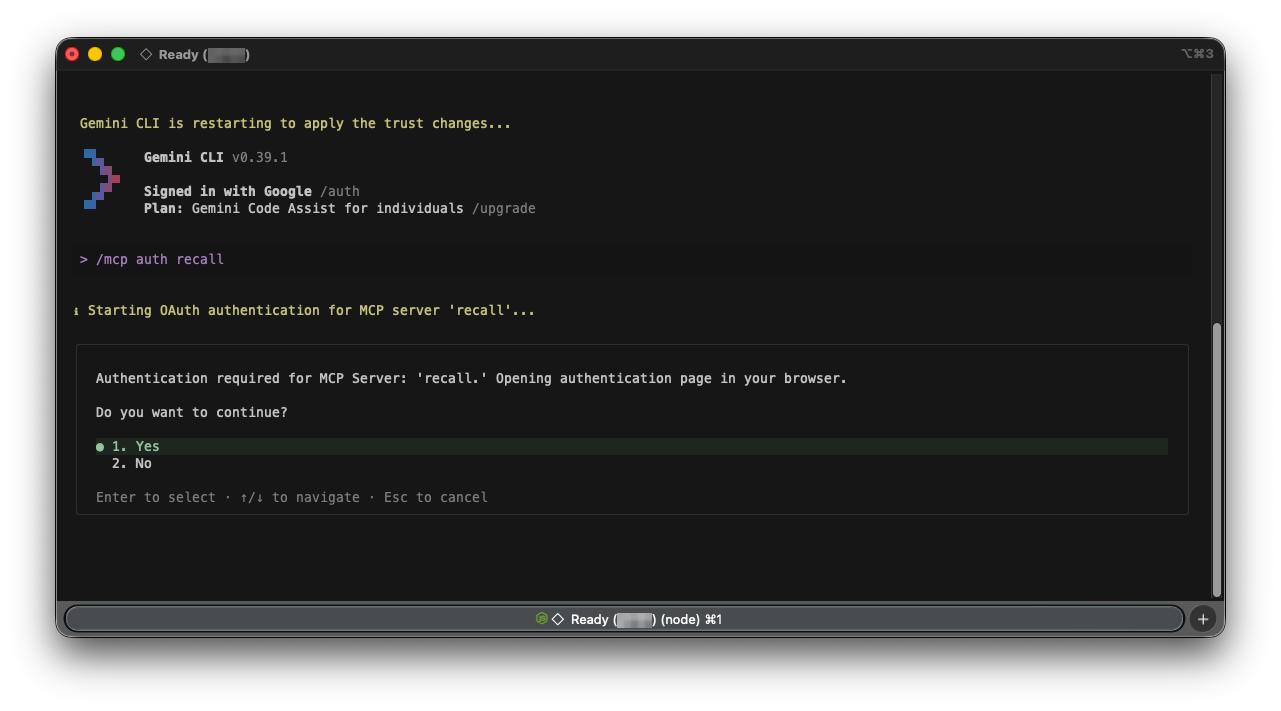
Run
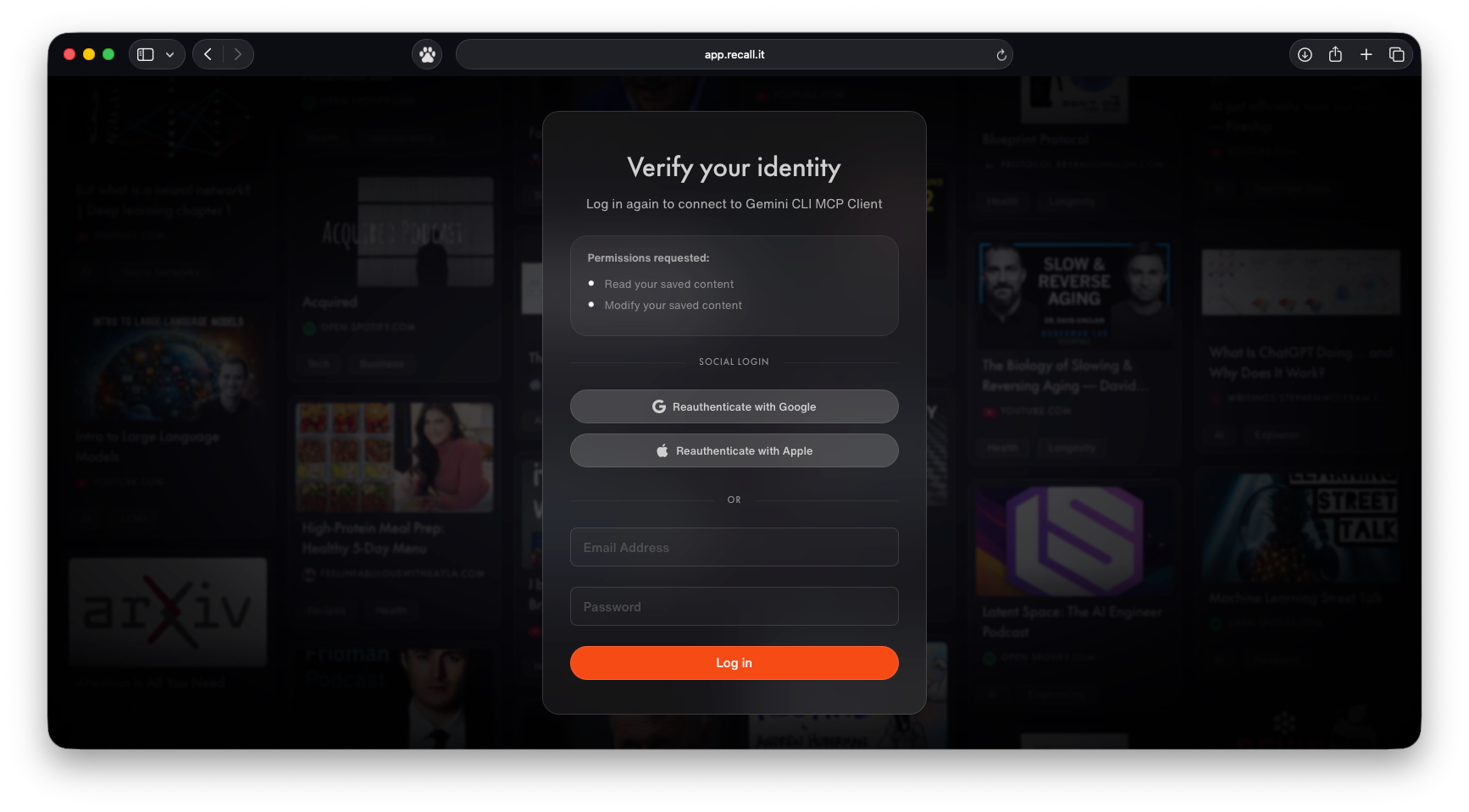
/mcp auth recalland follow the browser prompts to authorize Recall.
- Ask Gemini to search or summarize content from your Recall knowledge base.
How Authentication Works
The Recall MCP server uses an OAuth flow. The first time a client connects:
- The client redirects you to a Recall authorization page.
- You log in (or confirm your identity if already logged in).
- You review the requested permissions and click Allow access.
- The client receives a token and can begin making requests on your behalf.
Requested scopes
The client will request a single scope:
| Scope | Description |
|---|---|
kb:read | Read your saved content |
Tools
The MCP server exposes four tools. All of them require the kb:read scope.
| Tool | Use it to… |
|---|---|
search | Find cards by meaning or keyword (semantic search). |
filter_by_metadata | List cards matching date, tag, or source filters (no semantic search). |
get_document_content | Read the full content of a specific card. |
explore_kb | Get an overview of your knowledge base (stats, tags, sources). |
Start with search for question-answering tasks, filter_by_metadata when you just need a list of cards (e.g. “everything tagged #research from last month”), and get_document_content to read a specific card in full after finding it.
search
Search your saved content by combined semantic and keyword matching.
| Parameter | Type | Required | Description |
|---|---|---|---|
queries | list[str] | Yes | Search queries. |
mode | "focused" | "exhaustive" | No (default: "focused") | focused: top 5–10 cards with many chunks (best for answering questions). exhaustive: all matching cards (10–25) with 3 preview chunks each (best for listing/discovery). |
card_id | string | No | Search within a specific document only. |
date_from | string | No | Filter from date (ISO format). |
date_to | string | No | Filter to date (ISO format). |
tag_ids | list[str] | No | Tag IDs, OR logic. |
source_url_contains | string | No | Website domain filter. |
filter_by_metadata
List cards that match metadata filters, without running a semantic search. Returns previews containing id, title, and created_at.
| Parameter | Type | Required | Description |
|---|---|---|---|
date_from | string | No | Filter from date (ISO format). |
date_to | string | No | Filter to date (ISO format). |
tag_ids | list[str] | No | Tag IDs, OR logic. |
source_url_contains | string | No | Website domain filter. |
get_document_content
Retrieve the content of a single card as deduplicated chunks. Use this after discovering a card via search or filter_by_metadata.
| Parameter | Type | Required | Description |
|---|---|---|---|
card_id | string | Yes | Card ID from search/filter results. |
focus_query | string | No | Extract only sections matching this query. |
max_chunks | integer | No (default: 20) | Maximum chunks to return. |
explore_kb
Get a high-level overview of your knowledge base. Useful when an assistant is deciding where to look first.
| Parameter | Type | Required | Description |
|---|---|---|---|
action | "get_stats" | "list_tags" | "list_sources" | Yes | get_stats: total cards, date range, top tags, connections. list_tags: all tags with usage counts. list_sources: common domains/sources. |
Looking for the REST API?
If you want to build your own scripts or automations against your knowledge base, see the API.